1. Home
  2. Products

Twenty in-house products, four business lines

Each one can be delivered on its own. Put together, the accounts, interfaces and data ownership were already agreed — that is the difference between this and buying six products and paying someone to integrate them.

Grouped by business line. Open a line to see what every product in it actually does.

6 products

Manufacturing Suite

A discrete-manufacturing suite for hardware, sheet-metal, assembly and electronics plants. ERP is the platform base — accounts, tenants, inventory ledger, accounting vouchers, piece-rate payroll and payments. PLM owns engineering data, APS owns planning and scheduling, MES owns shop-floor execution, WMS owns warehouse operations, SRM owns supplier collaboration. Six systems, deployed and licensed independently, sharing one account model and one data-authority matrix.

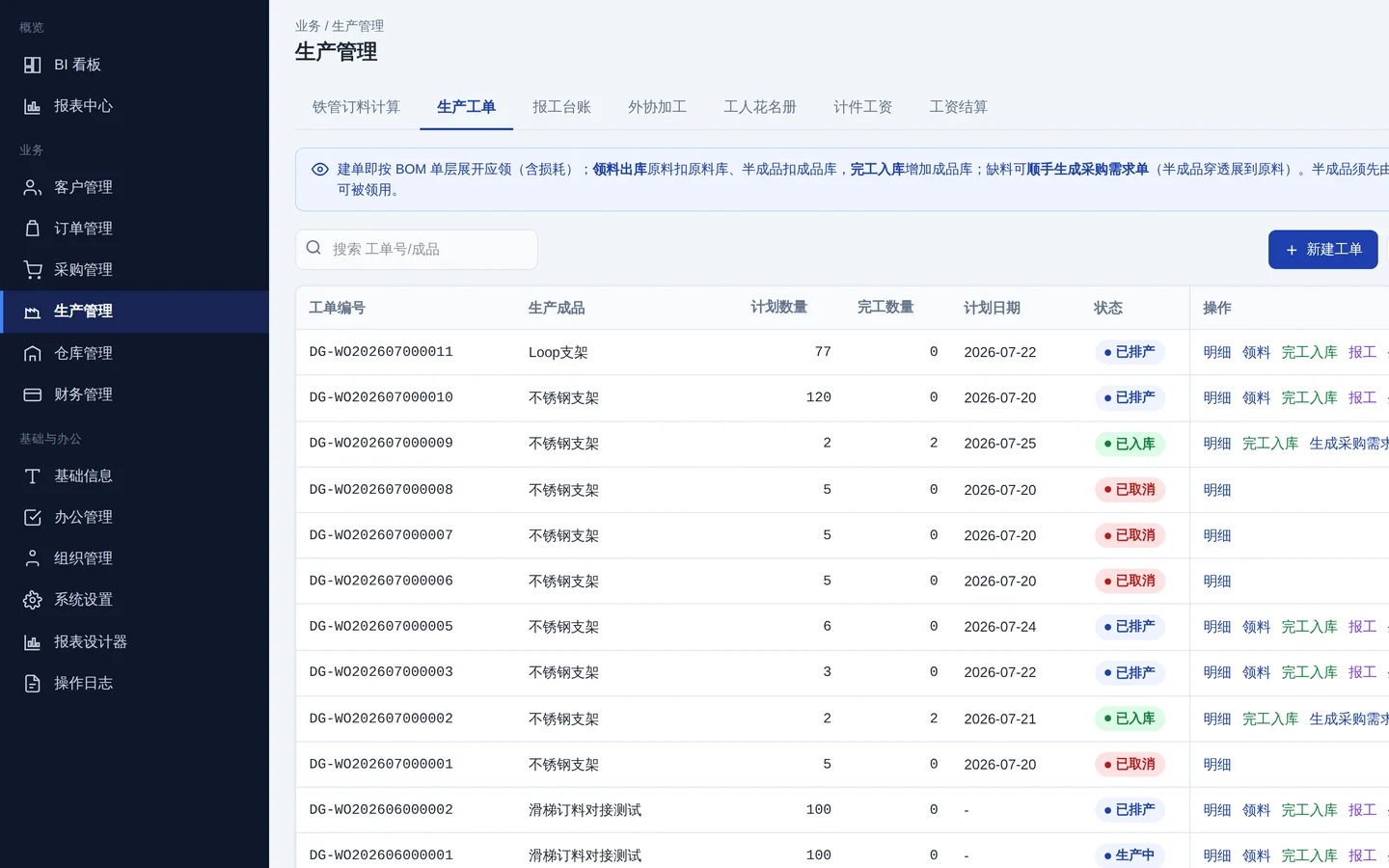
ERP — Enterprise Resource Planning · UI screenshot
ERP

ERP — Enterprise Resource Planning

Order to cash in one place, and the base the whole manufacturing suite stands on.

  • Accounts, tenants and plant hierarchy; single sign-on across all six systems
  • Sole system of record for the inventory ledger, accounting vouchers, work-order execution, piece-rate payroll and payments
  • Sales, purchasing, production, warehouse and finance closed end to end
  • Carries the workload of any suite system you have not enabled yet
Multi-tenantMulti-plantPiece-rate payrollAccounting vouchers
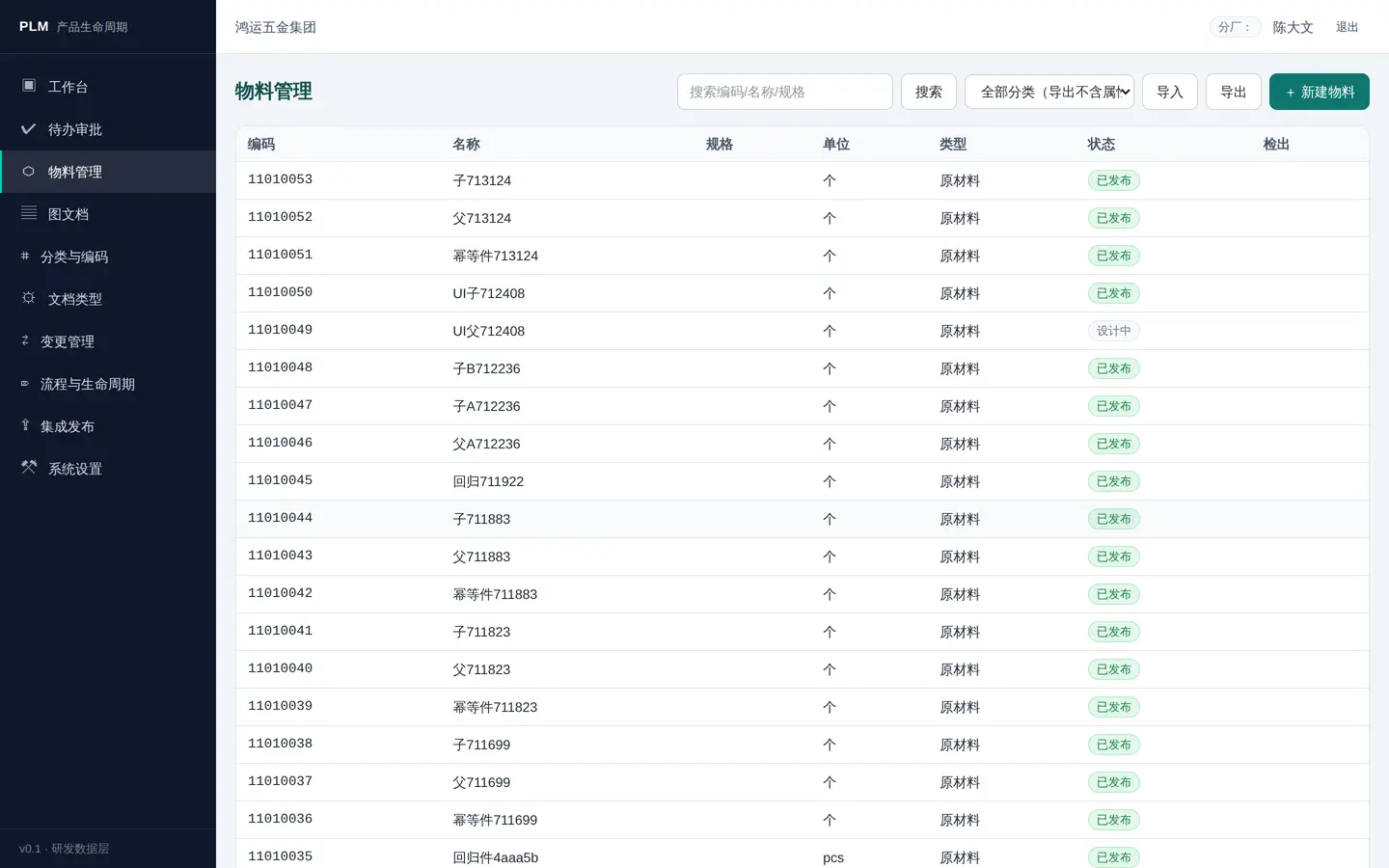
PLM — Product Lifecycle Management · UI screenshot
PLM

PLM — Product Lifecycle Management

One part, one code, and change control that actually closes — so nobody builds from a stale drawing.

  • Item master, classification and coding rules in one place
  • EBOM and MBOM side by side, with versions and effective dates
  • Document vault; releases go straight to ERP and MES
  • ECR / ECO / MCO engineering change, end to end
Item masterEBOM/MBOMChange controlDocument vault
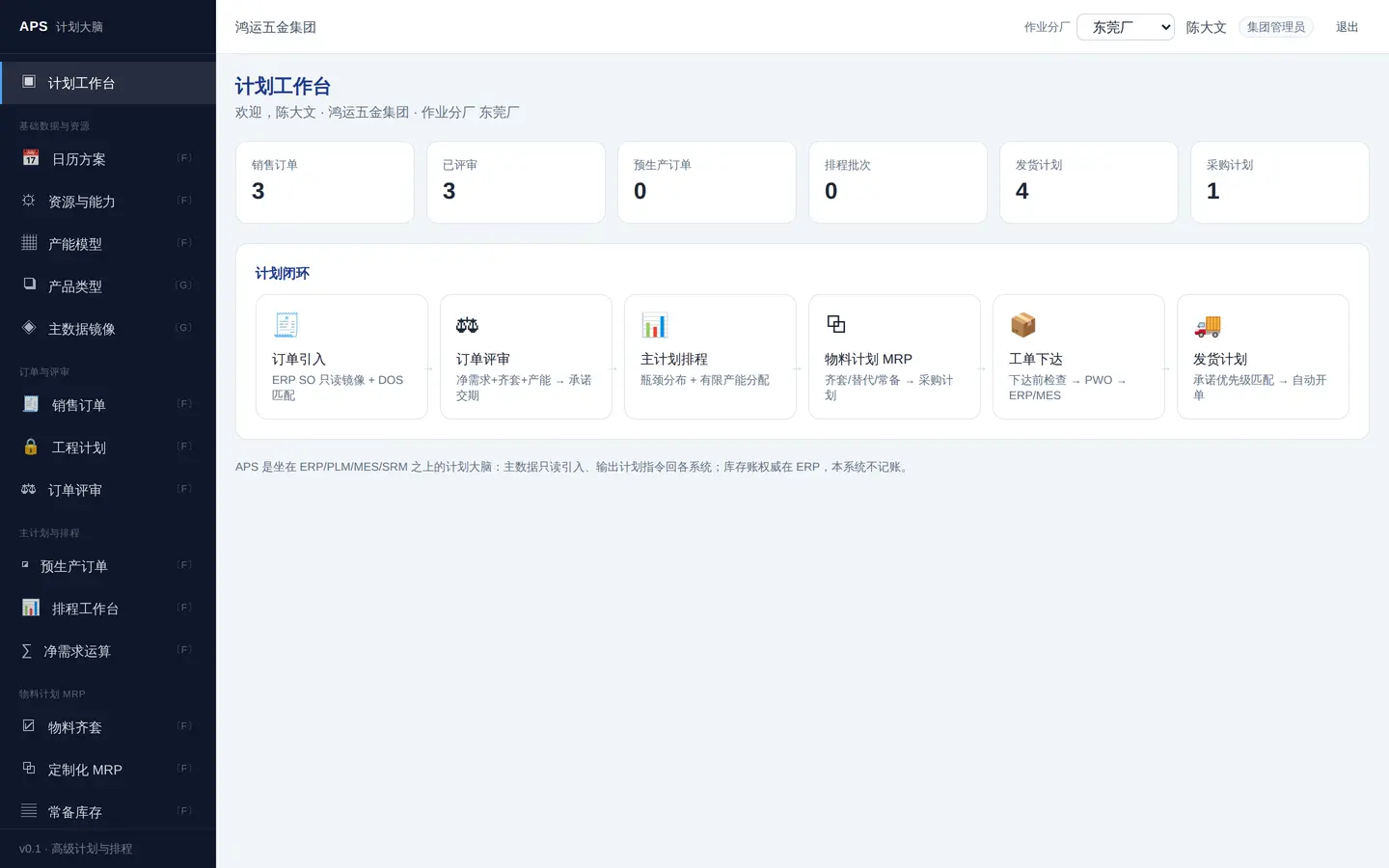
APS — Advanced Planning & Scheduling · UI screenshot
APS

APS — Advanced Planning & Scheduling

The date you promise is the date the schedule can actually hit.

  • Order review computes a promise date from finite capacity and material availability
  • Finite-capacity scheduling with tunable bottleneck distribution and capacity allocation
  • MRP: kitting, substitutes, material locking, standing stock
  • Work-order release and automatic shipment planning
Promise datesFinite capacityMRPKitting
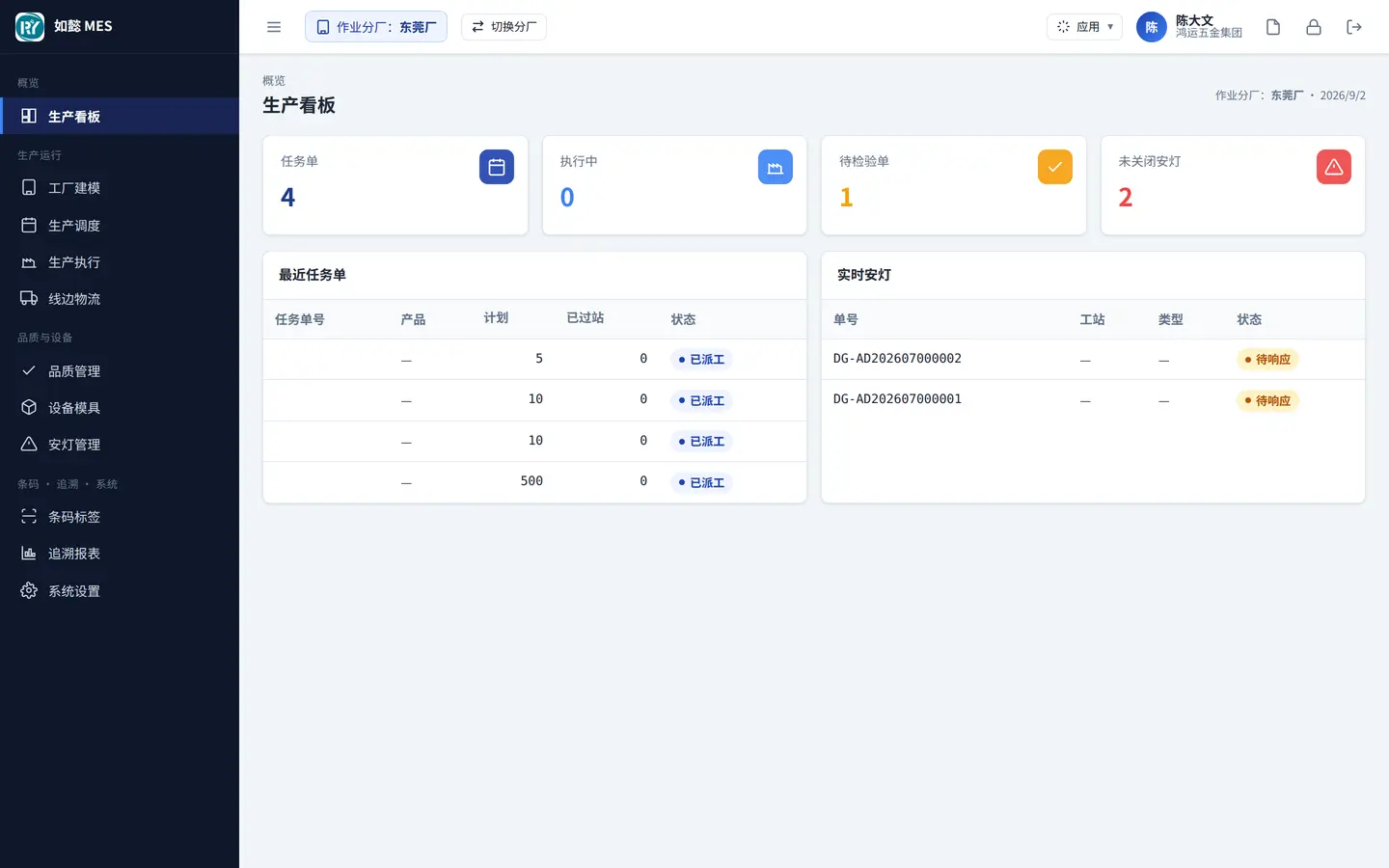
MES — Manufacturing Execution · UI screenshot
MES

MES — Manufacturing Execution

Every issue, every station pass, every report scanned and traceable.

  • Station-level routings with rules that stop skipped operations
  • Barcode traceability and scan capture: issue, pass, report
  • First-article and in-process inspection, plus an OQC shipping gate
  • Equipment and tooling checks, andon calls, and a station-terminal app
Barcode tracePQC/OQCAndonStation app
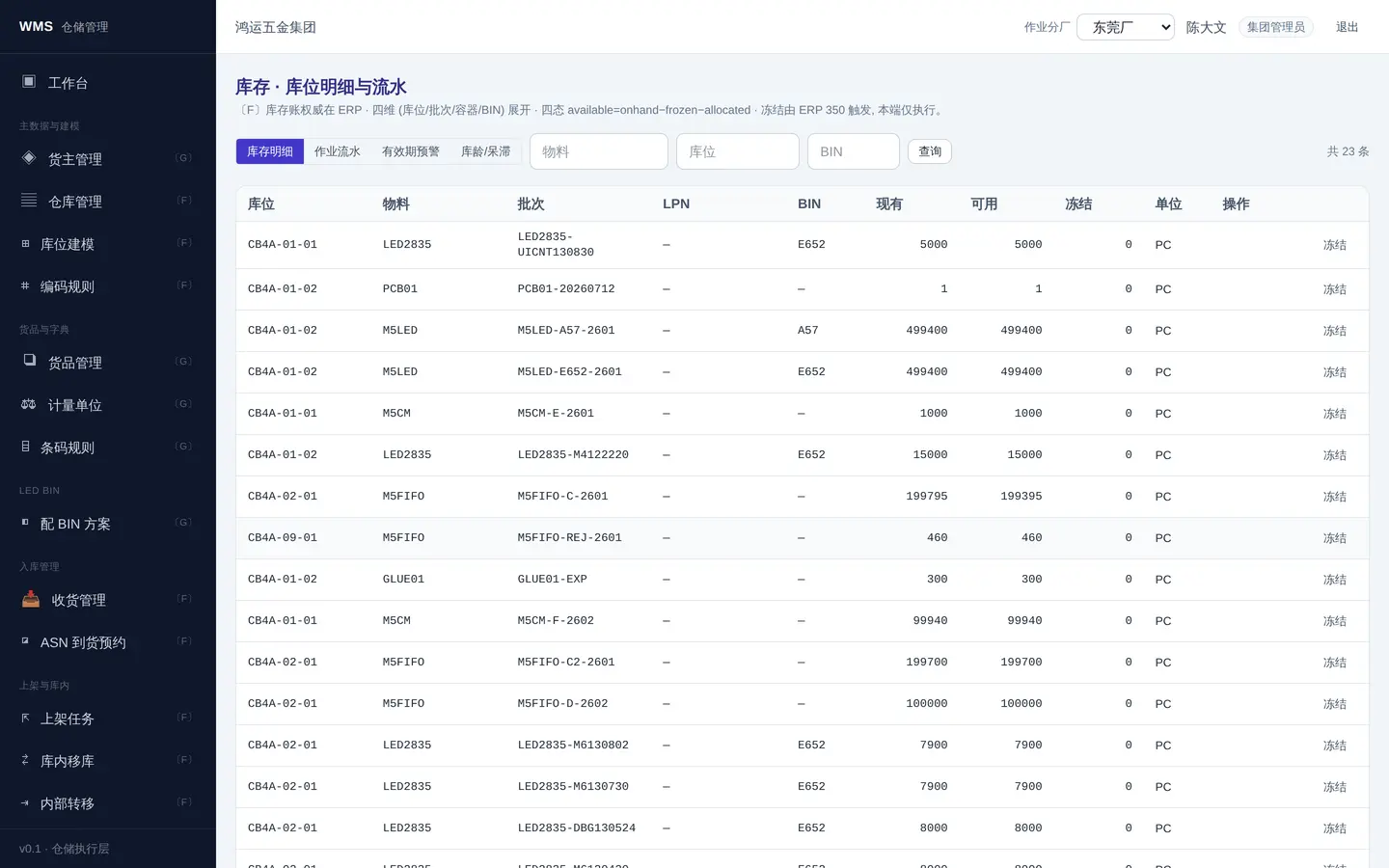
WMS — Warehouse Management · UI screenshot
WMS

WMS — Warehouse Management

Scan-driven operations with rule-based location and batch selection — while the ledger stays in ERP.

  • Receiving, put-away, wave picking, transfers and stock counts
  • Detail down to bin, batch and pallet, with LED bin guidance
  • Configurable location/batch strategies, FIFO and shelf-life rules
  • RF handheld app; completed work is written back for ERP to post
Bin levelWave pickingRF handheldWrites back to ERP
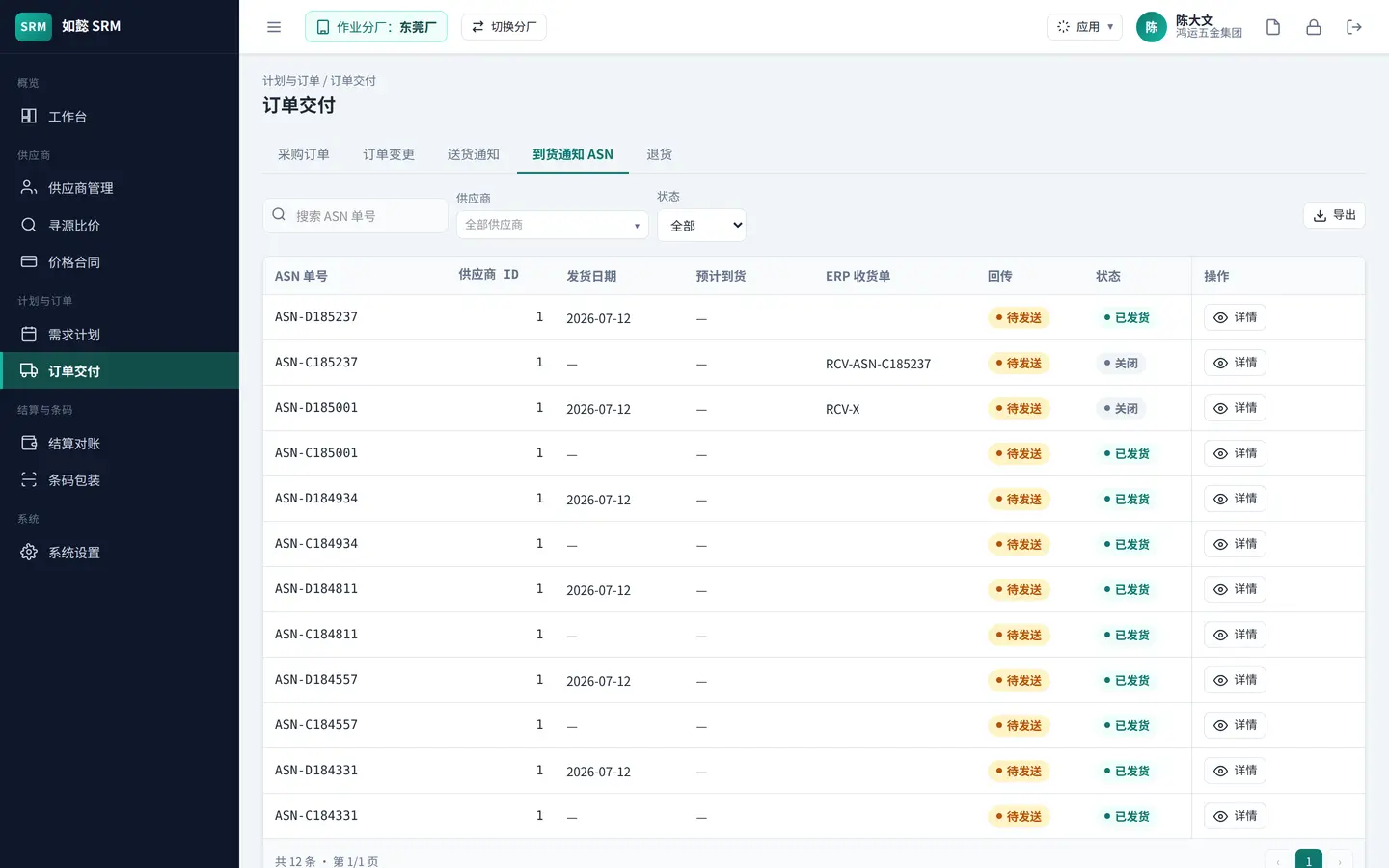
SRM — Supplier Relationship Management · UI screenshot
SRM

SRM — Supplier Relationship Management

Bring suppliers inside the process instead of reconciling by email.

  • Supplier lifecycle, onboarding and performance scoring
  • Sourcing, quote comparison and tendering; central price agreements
  • Purchase orders, ASNs and reconciliation, collaborated online
  • The supplier portal runs on its own domain that exposes portal APIs only
Supplier portalSourcingASNOnline reconciliation
6 products

Restaurant Suite

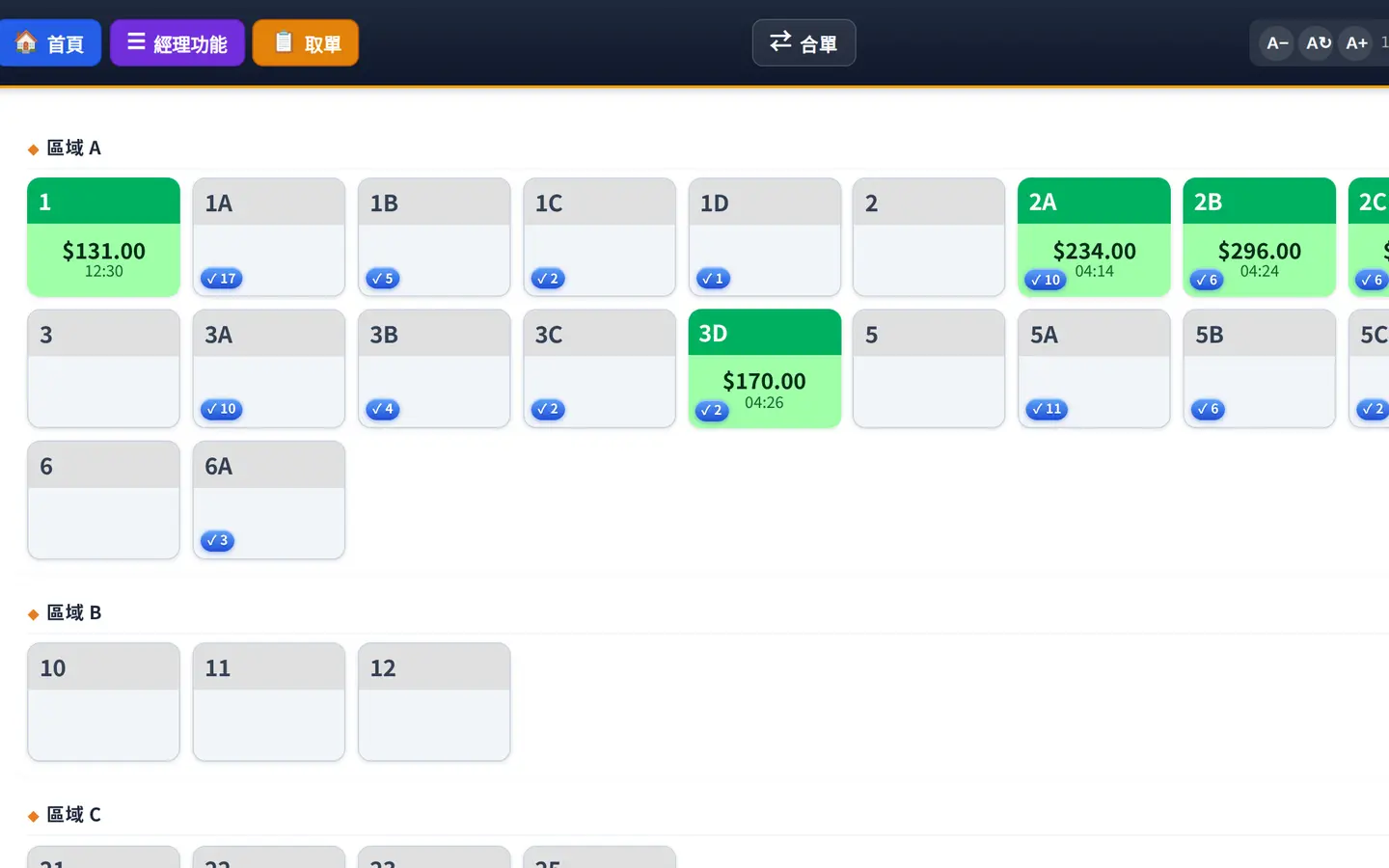
A complete store system for fast food, canteens and restaurant chains: POS with offline ordering, self-service kiosks, TV menu boards, pickup call screens, the per-store back office, and a chain-wide operations console. Running in real university canteens and fast-food chains today.

POS — Till & Store Operations · UI screenshot
POS

POS — Till & Store Operations

Keep trading with the network down — orders are written locally and re-sent on their own.

  • Dine-in, takeaway and pickup on one menu and one price list
  • Offline till: take money while the line is down, re-send automatically on recovery, lose nothing
  • Octopus, KPay, YeahPay and other channels switchable per merchant
  • Kitchen production and printer routing split by station or category
Works offlineMultiple payment channelsKitchen routingReceipt printing
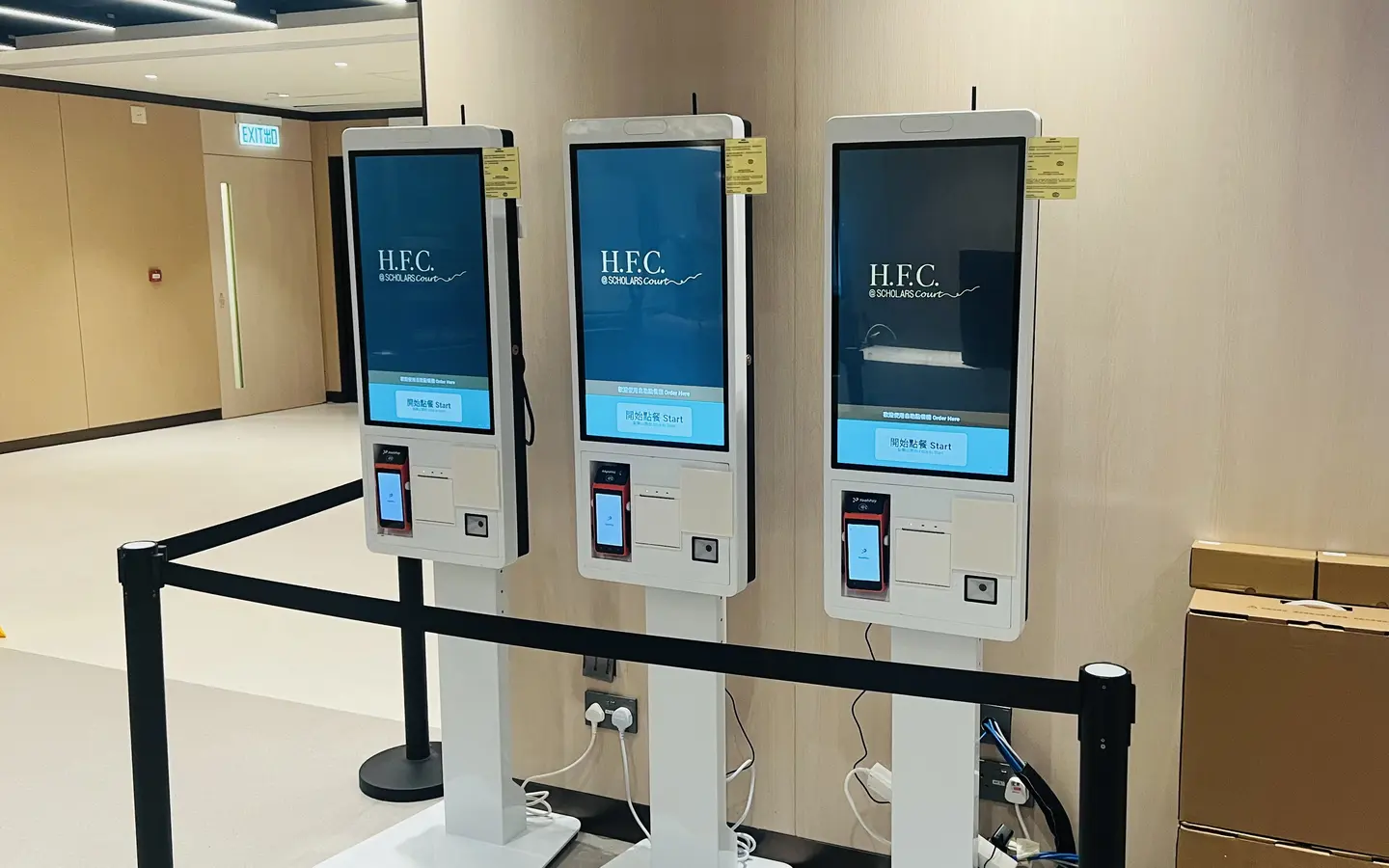
Self-Service Kiosk · UI screenshot
KIOSK

Self-Service Kiosk

Move the queue into the machines at peak, and keep one till for exceptions.

  • Android and Windows form factors in locked kiosk mode
  • Combos, add-ons and the takeaway-extras prompt — add an item in the back office and it is live
  • Barcode scanning and member recognition, with discount rules
  • Same order flow as the kitchen and the pickup screens
Kiosk lockdownCombos & add-onsScanningOffline fallback
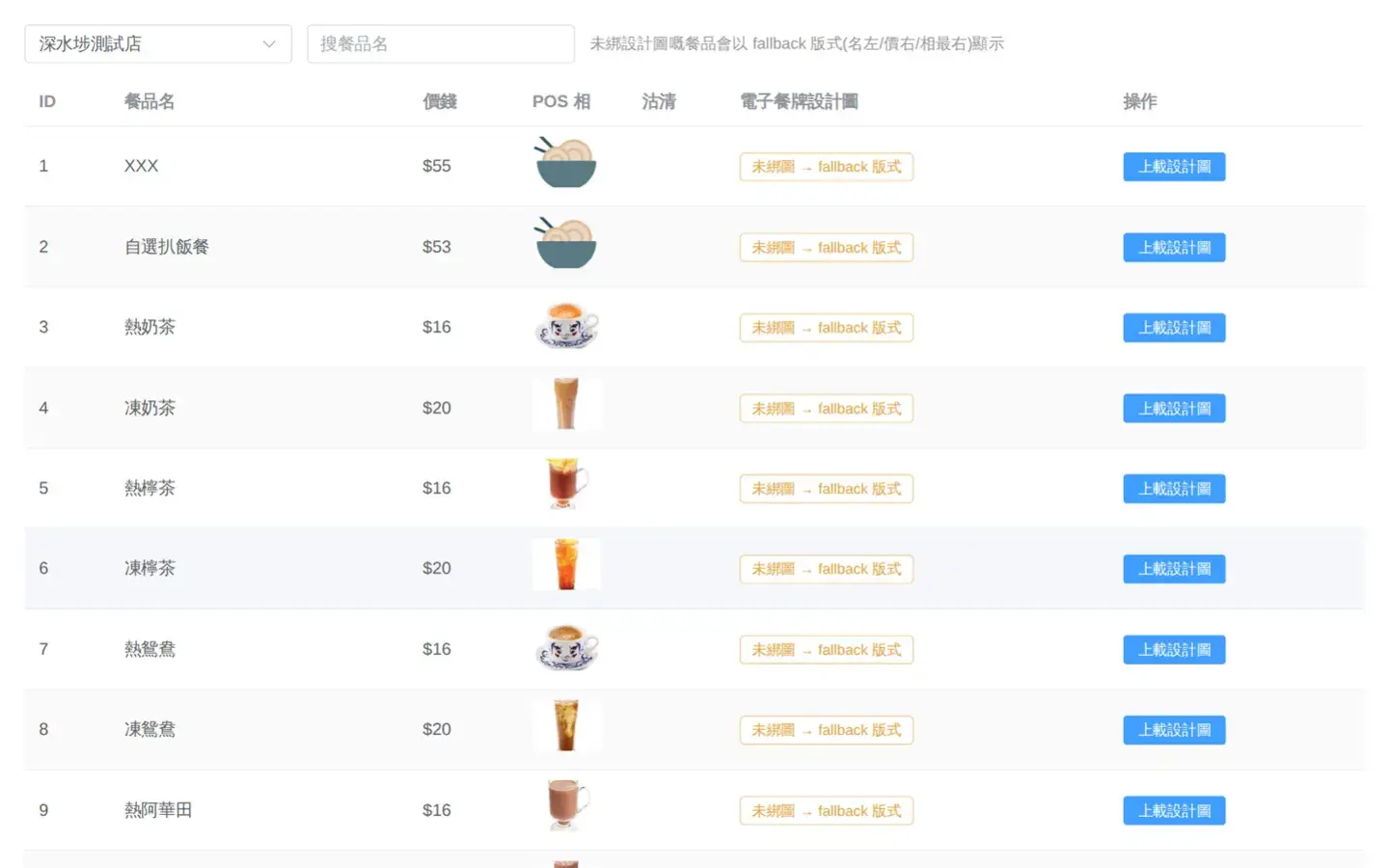
eMenu — TV Menu Boards · UI screenshot
EMENU

eMenu — TV Menu Boards

Change a price in the back office; the board follows within fifty seconds.

  • Central control of every screen in every store, with pairing codes and heartbeats
  • Automatic page switching by trading period; sold-out items masked automatically
  • Designer artwork layouts, with an automatic fallback layout if an image fails
  • Offline last-known-good, scheduled daily reload, burn-in protection
Many stores, many screensPeriod switchingSold-out maskingWorks offline
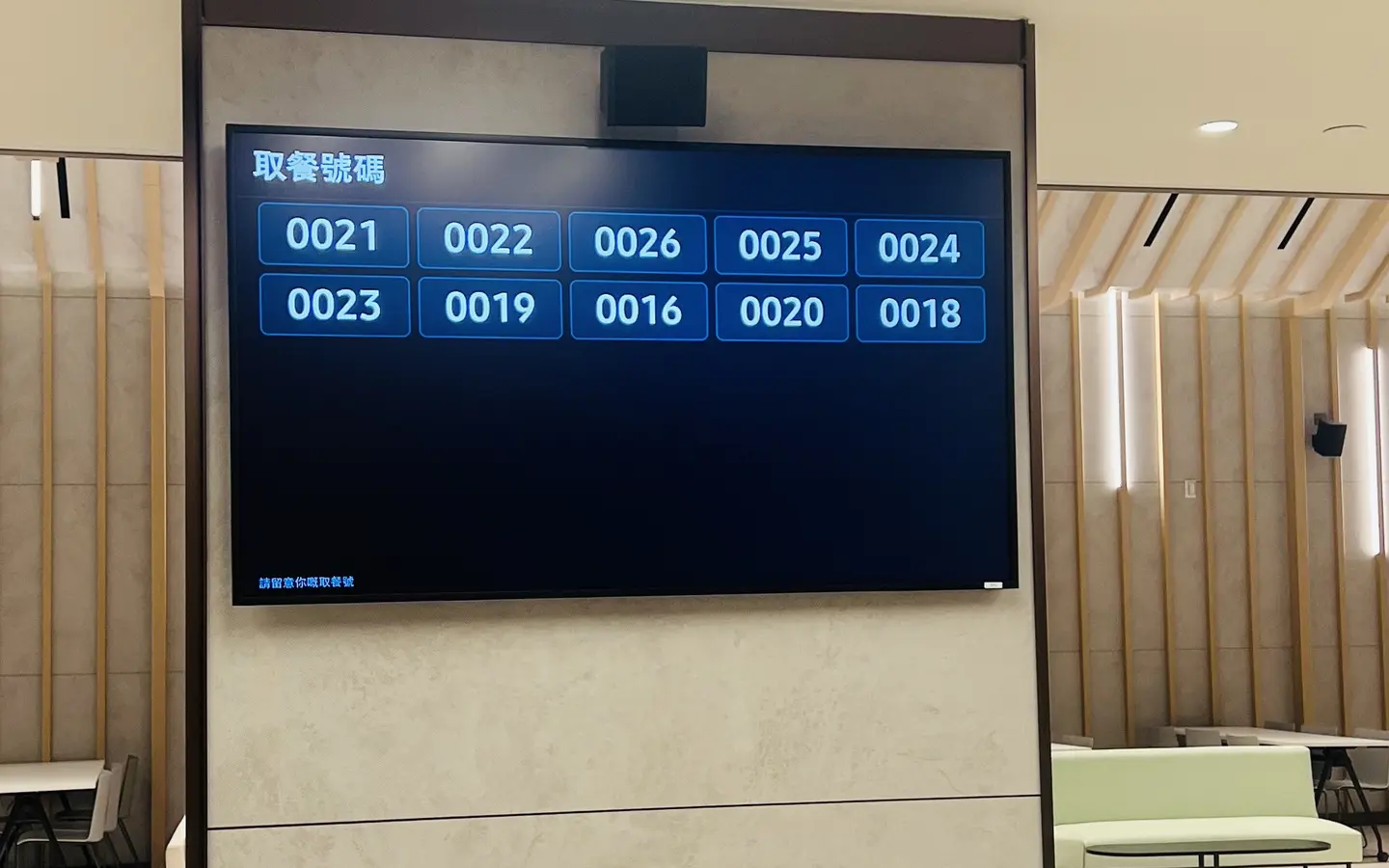
Pickup Call System · UI screenshot
PICKUP

Pickup Call System

One scan at the pass and the call screen updates.

  • TV call screen plus a pass tablet, driven by one state machine
  • Scanning and manual entry, with de-duplication against double scans
  • In production / ready / collected, on screen the moment it changes
  • Wired into kitchen display and till receipts
Call screenPass tabletScanningState machine
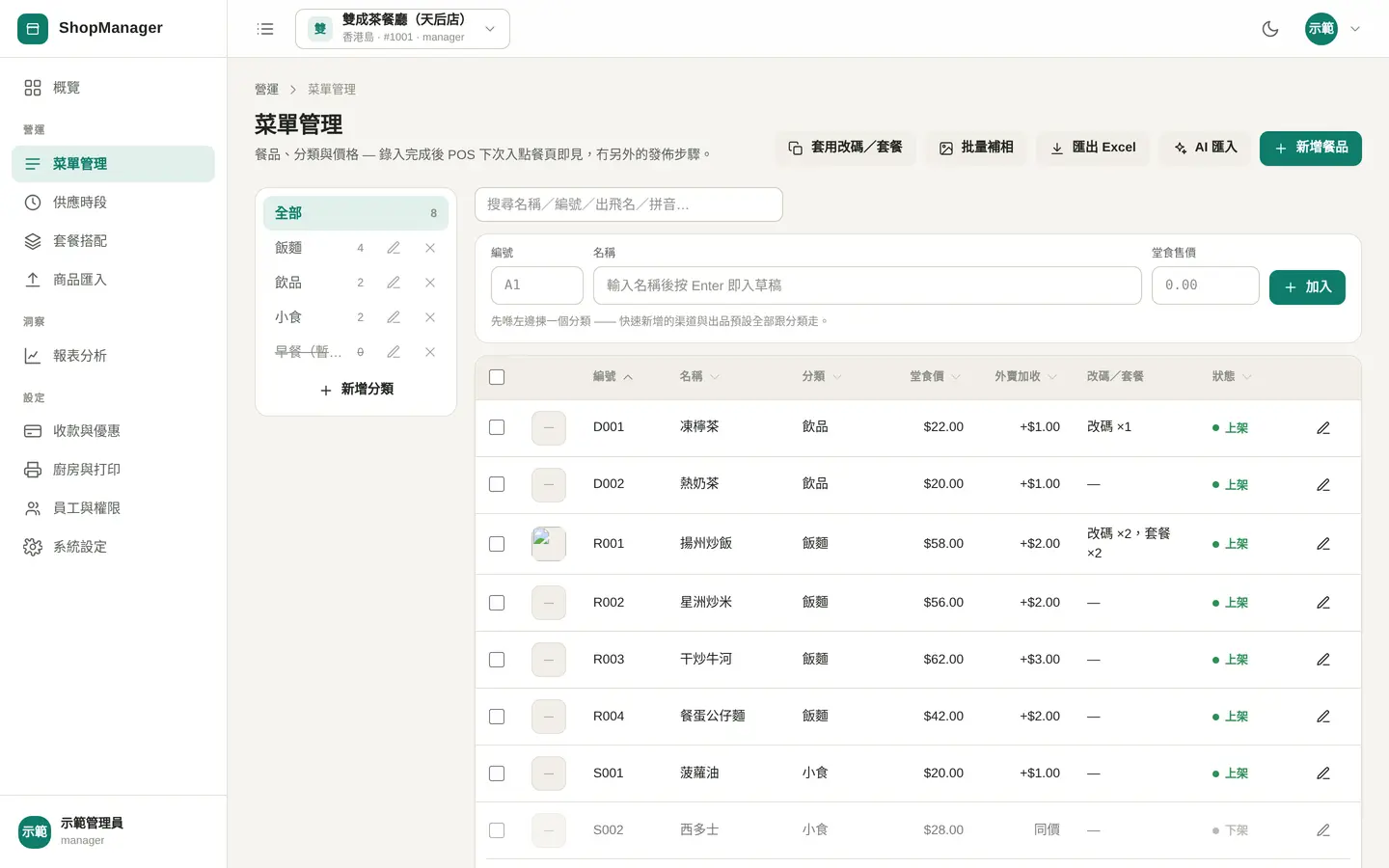
ShopManager — Store Back Office · UI screenshot
SHOP

ShopManager — Store Back Office

Everything one store needs to manage: menu, periods, payment, kitchen, settings.

  • Menu, trading periods, prices and sold-out status in one place
  • Payment channels and printers configured per store
  • Kitchen routing rules and production flow configured visually
  • Trading reports and reconciliation by store and period
MenuPeriodsPrintersReports
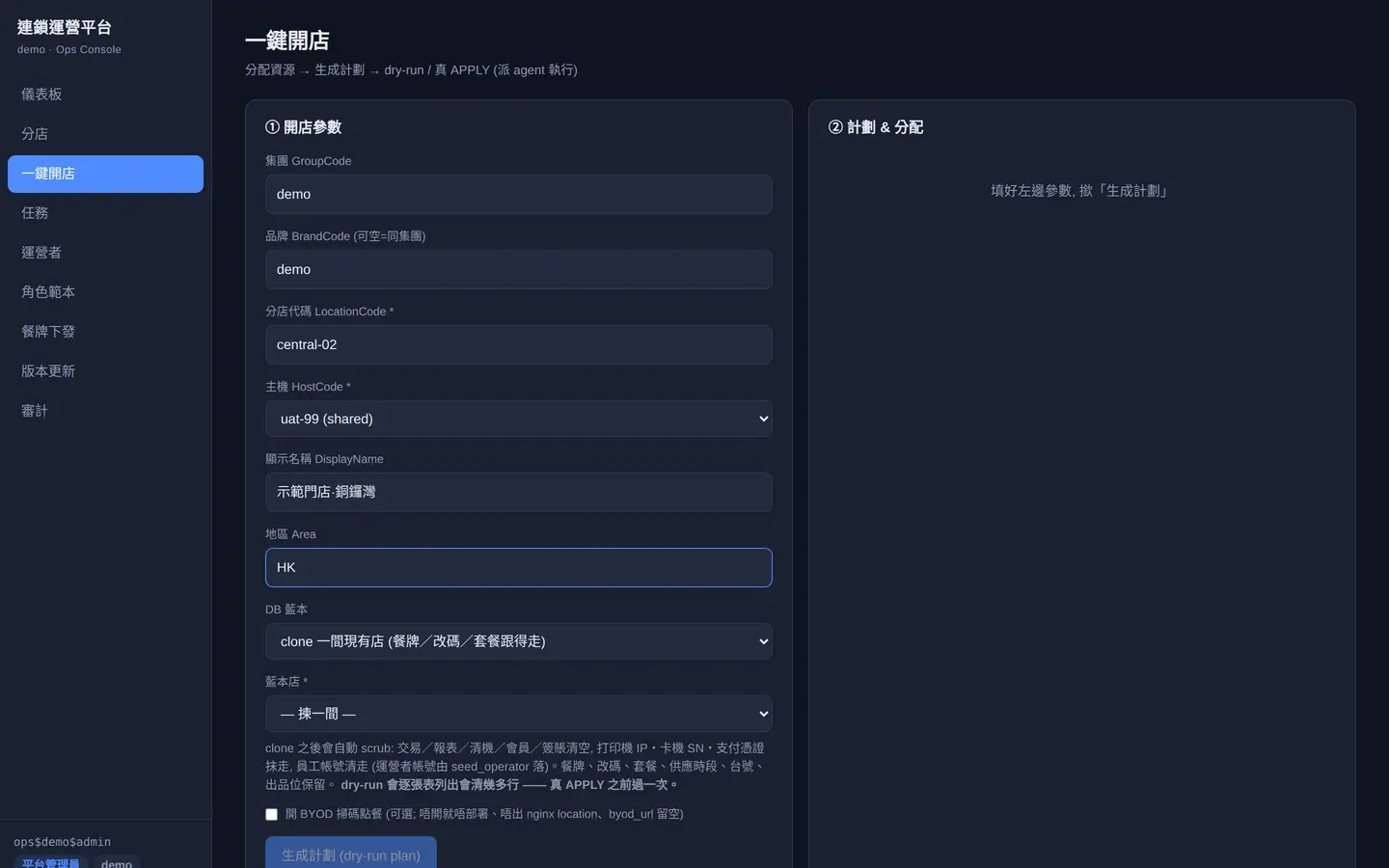
Ops Console — Chain Operations · UI screenshot
OPS

Ops Console — Chain Operations

Open a store in one action, grant access across stores — the more stores, the more it saves.

  • Central accounts and cross-store permissions; authorise once, work anywhere
  • A store registry: database, port, domain and state at a glance
  • One-action provisioning: database, service, subdomain and certificate in a single run
  • Push the head-office menu to branches — change once, live everywhere
Cross-store accessOne-action provisioningStore registryMenu push
4 products

AI & Automation

Large models placed inside processes that can be orchestrated, approved and audited. The workflow platform handles orchestration and traceability; the customer-service and document-extraction products handle specific jobs; the drawing-annotation product pulls engineers out of repetitive work. Each ships with its own evaluation set — prompt or model changes must pass before they go live.

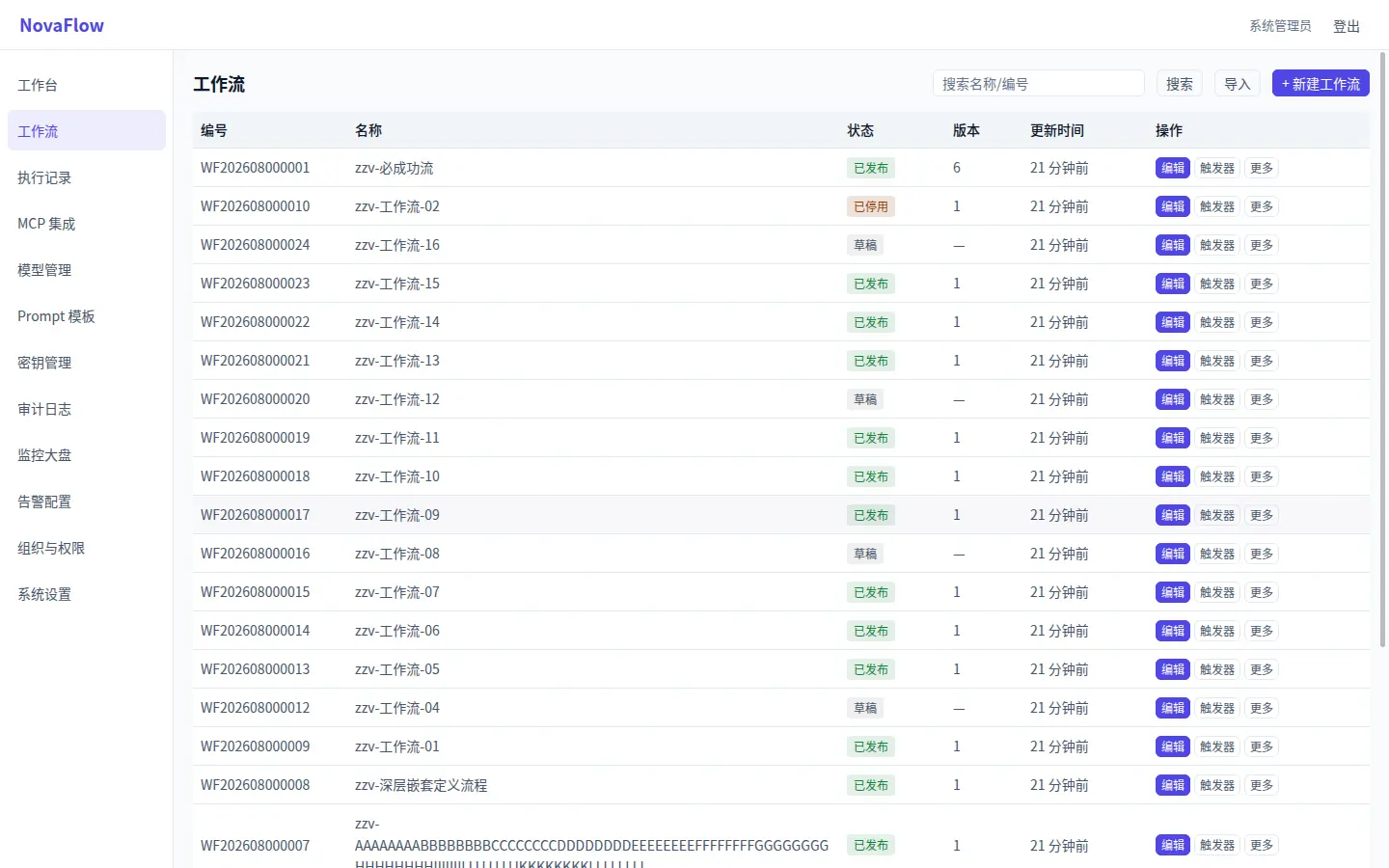
NovaFlow — Enterprise AI Workflow · UI screenshot
NOVAFLOW

NovaFlow — Enterprise AI Workflow

Approvals, extraction and judgement composed into a traceable process, not a one-off script.

  • Visual DAG authoring and a node library, with validation that catches cycles and dead branches
  • LLM nodes and human-approval nodes side by side — someone still signs where it matters
  • SSE streaming execution with a full audit trail; replayable and auditable
  • Tenant quotas, an open API and service accounts; fully offline on-premise deployment supported
DAG authoringHuman approvalFull audit trailOn-premise
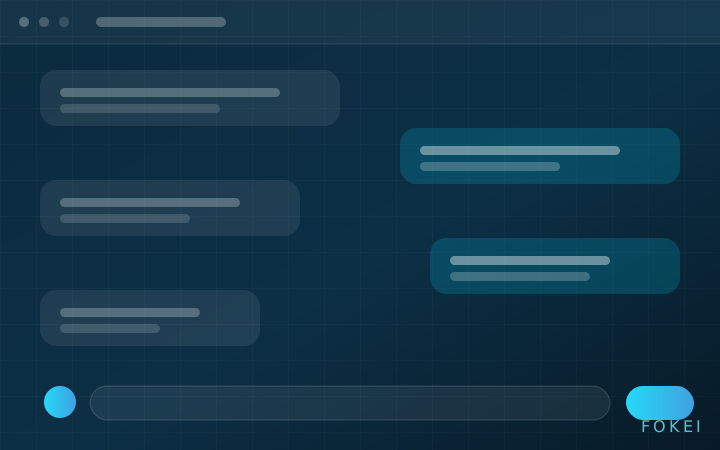
Fokei — Cantonese AI Customer Service · feature sketch
FOKEI

Fokei — Cantonese AI Customer Service

An AI colleague that actually speaks Cantonese — and hands off to a human when it should not guess.

  • Native Cantonese with code-switched English: colloquial-to-written conversion and a purpose-built prompt library
  • WhatsApp, web and Instagram on one knowledge base
  • Answers from the customer's own documents and systems; connects to ERP, POS and booking
  • An in-house Cantonese evaluation set gates CI — every prompt or model change must pass first
Native CantoneseWhatsAppKnowledge baseHuman handoff
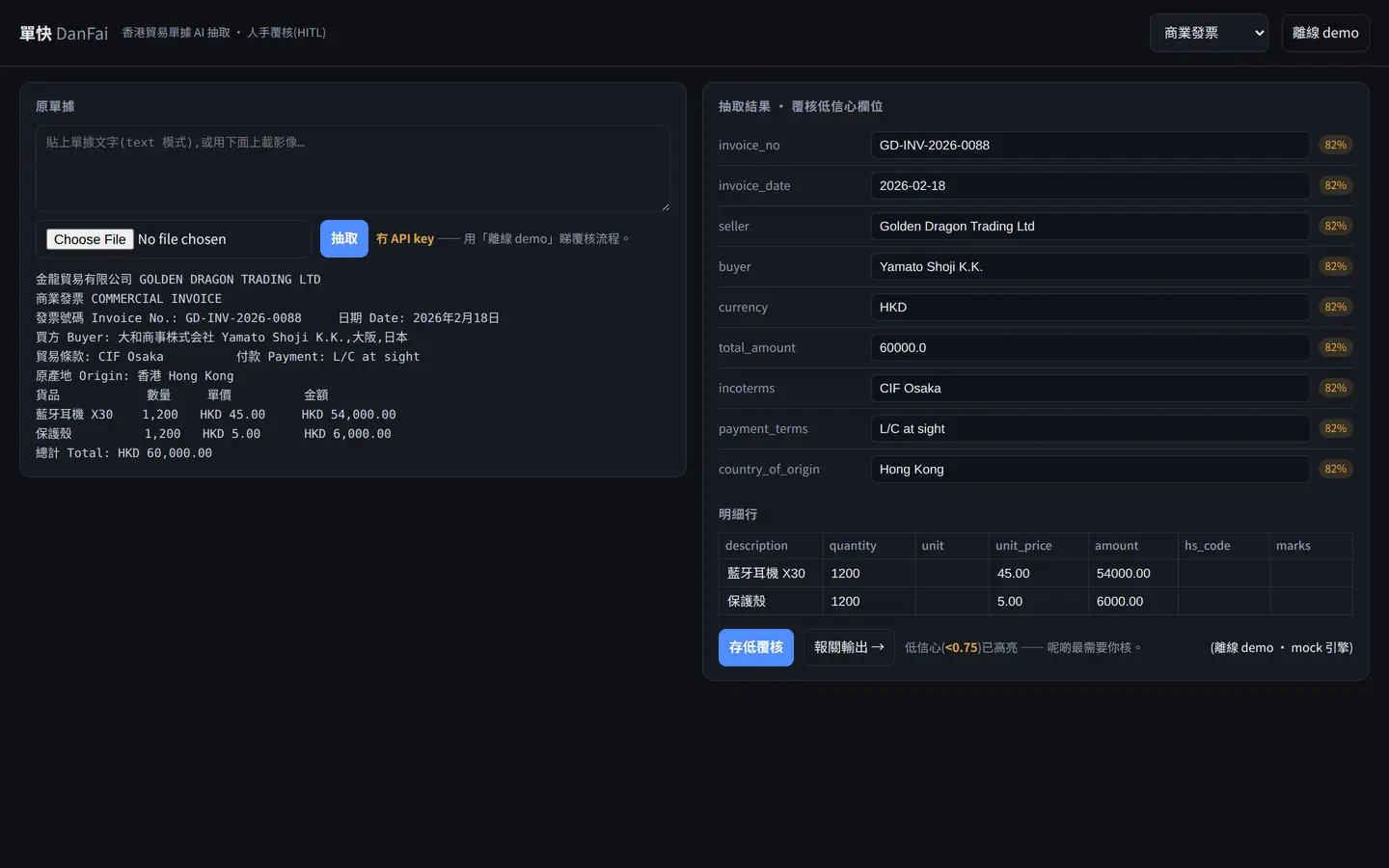
DanFai — Document Intelligence · UI screenshot
DANFAI

DanFai — Document Intelligence

Stop keying documents into the system one page at a time.

  • Invoices, packing lists, bills of lading, customs forms and bank statements extracted in one pass
  • Vision plus layout understanding; native Traditional Chinese and mixed Chinese–English
  • Low-confidence fields routed to human review, with the uncertain parts visible
  • Produces customs declaration data ready for Hong Kong customs and the Trade Single Window
Vision extractionTraditional ChineseHuman reviewCustoms output
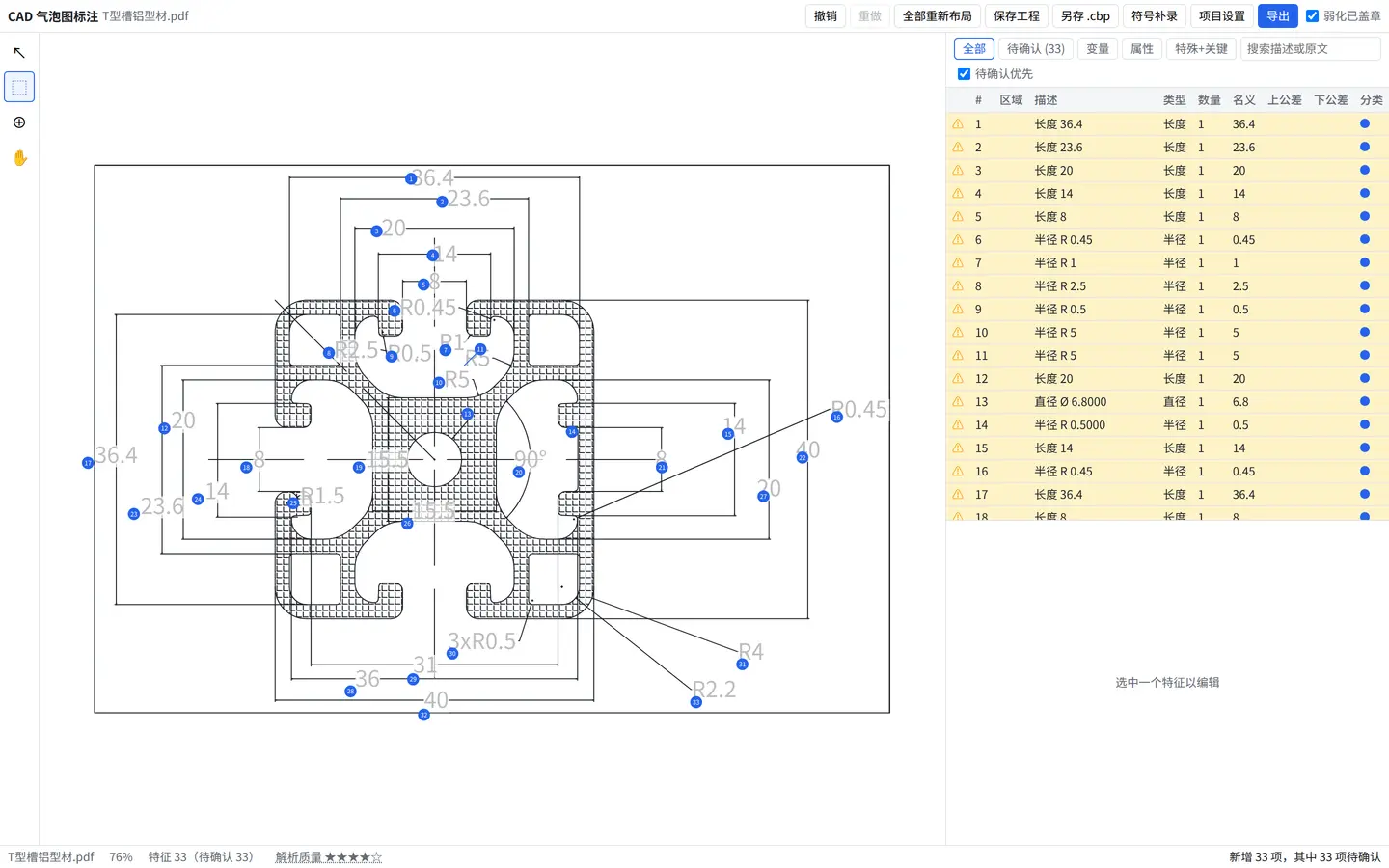
CAD Ballooning & Inspection Reports · UI screenshot
CAD-FAI

CAD Ballooning & Inspection Reports

Balloon the drawing automatically, and get the FAI sheet with it.

  • Reads dimensions, tolerances and GD&T straight from vector PDF and DXF
  • Automatic ballooning with a keyboard-driven correction flow and unlimited undo
  • Unstated tolerances filled in from the standard tables; genuine gaps reported honestly
  • Exports FAI inspection reports to Excel and other formats
Vector parsingAuto numberingTolerance lookupZero upload
4 products

Vertical Platforms

Multi-tenant online platforms for specific industries. What they share is business rules that are intricate and fiddly: who can be scheduled, against what, what happens on a clash, how a change is priced. Our approach is to turn those rules into a reviewable document first, then into code and database constraints.

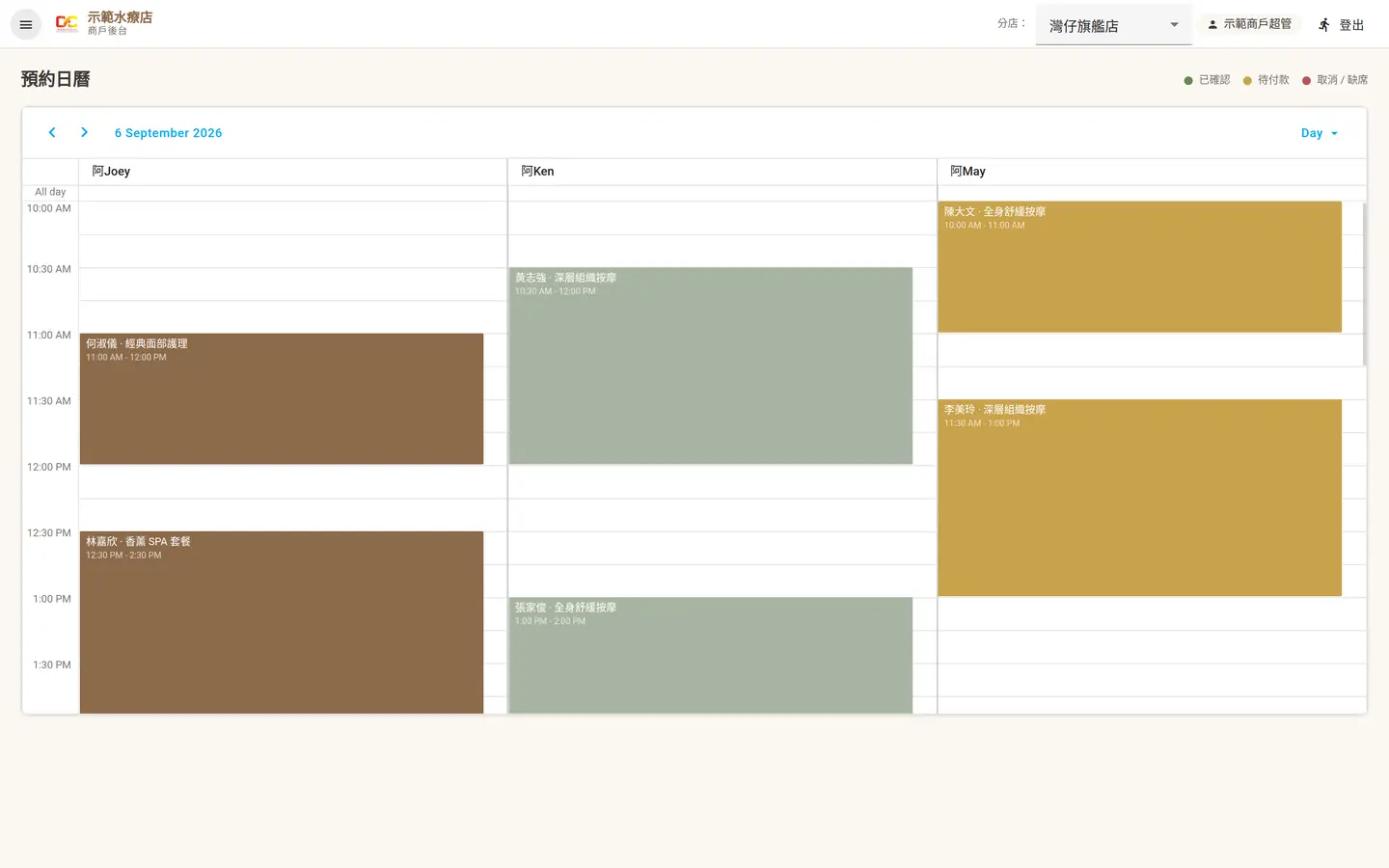
Online Booking SaaS · UI screenshot
BOOKING

Online Booking SaaS

Therapists, rooms and prepaid packages scheduled on one calendar.

  • Dual-resource scheduling: it only books when both the skilled staff member and the room or bed are free
  • Multi-use packages and membership cards, shareable between people, with tiered card levels
  • Customers never create an account — they look up and change their own booking by phone number
  • Online payment and notifications; reschedule, cancellation, no-show and bad-weather rules are configurable
Dual-resourcePackages & cardsNo loginOnline payment
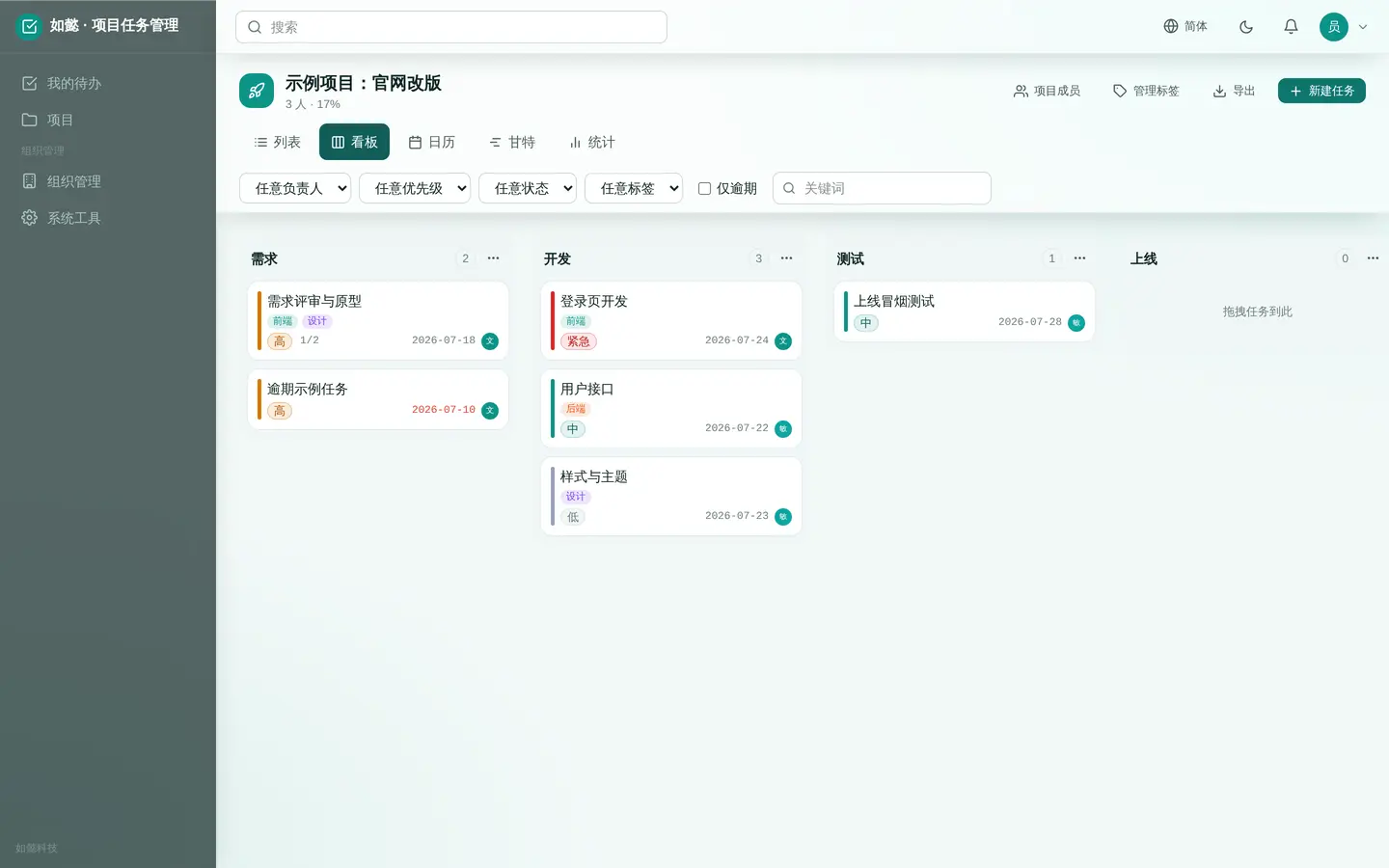
TodoList — Team Task Management · UI screenshot
TODO

TodoList — Team Task Management

Project → list → task → subtask, four levels all the way down.

  • Four-level hierarchy with owners, due dates and priorities
  • Four role levels with strictly separated permissions
  • Web and mobile kept in sync in real time
  • Progress statistics, overdue alerts and retrospective data
Four levelsRole isolationWeb + mobileProgress stats
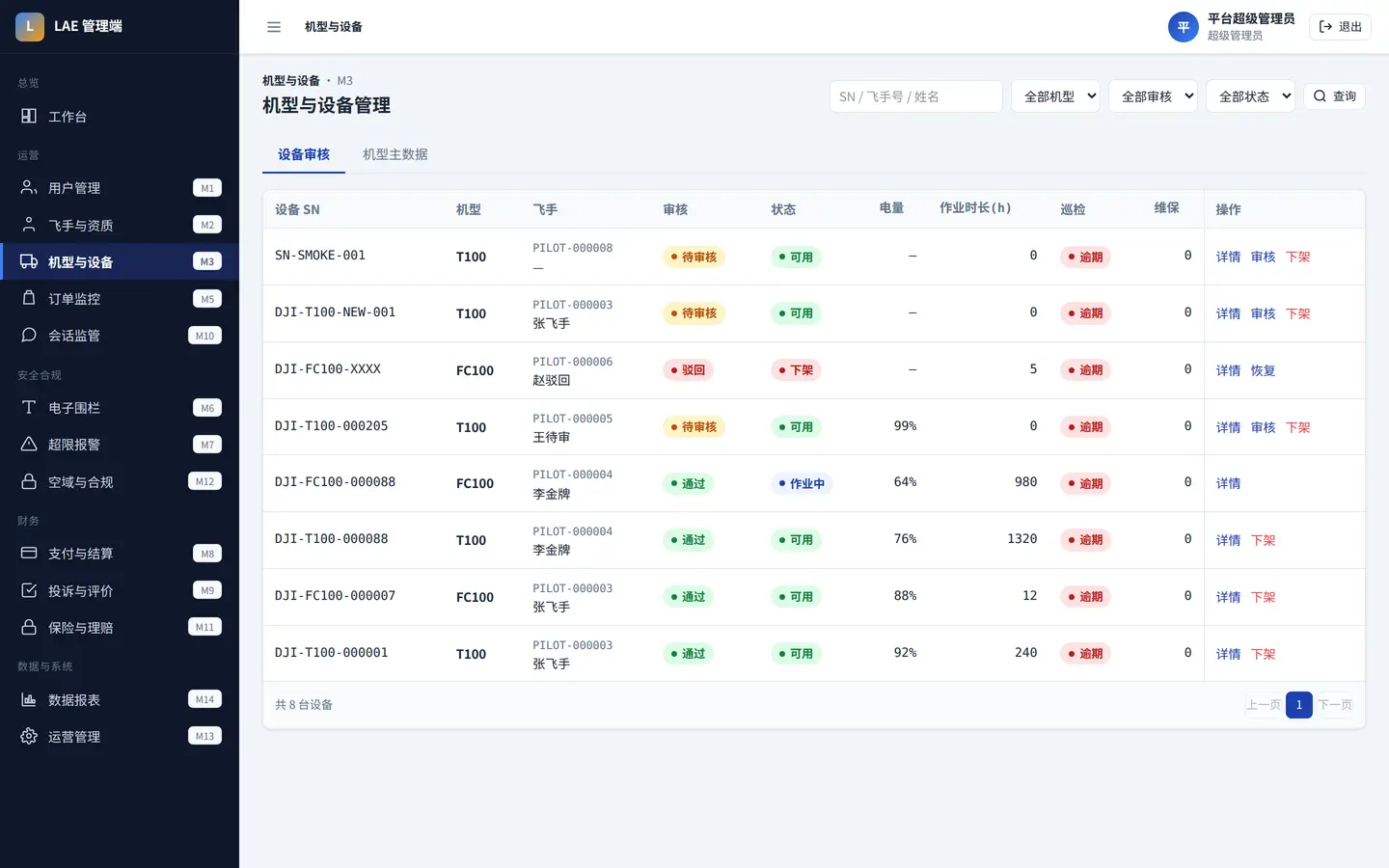
LAE — Heavy Drone Rental Platform · UI screenshot
LAE

LAE — Heavy Drone Rental Platform

Ride-hailing-style dispatch for heavy drones, with owner-operator pilots.

  • Three job types: crop spraying, cargo transport and heavy lifting
  • Pilot and aircraft qualification records, job matching, dispatch and settlement
  • Geofencing and limit-breach alerting as a dedicated compliance subsystem
  • PostGIS spatial computation with replayable flight tracks
Low-altitude economyGeofencingPostGISOwner-operators
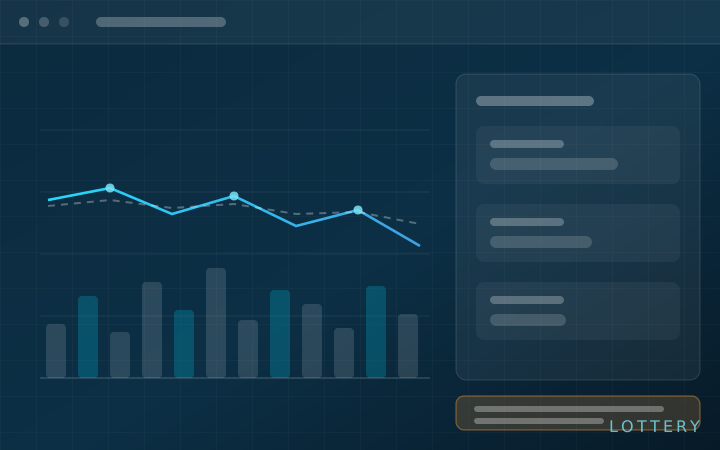
Lottery Probability Analysis & Backtesting · feature sketch
LOTTERY

Lottery Probability Analysis & Backtesting

Makes the probability, the cost and the expected value explicit. It does not predict the next draw, and does not claim to.

  • Draw history and prize-tier adjudication, with rules modelled by effective date so past draws are never judged by today's rules
  • Cost, win probability and after-tax expected value computed line by line, including combinatorics, caps and pari-mutuel sharing
  • Walk-forward backtesting: never trained on future data, always compared against a random baseline, and losing periods are shown too
  • An analysis and education tool: it takes no orders, sells no tickets, handles no money and promises no winnings; every result carries a mandatory risk notice
Probability & EVWalk-forwardStatistical rigourResponsible design

Wondering whether this fits the way you already work?

Tell us your situation, what you run today, and which part you want fixed first. You will get a concrete recommendation based on your case — not a product brochure.

Enquire